
Move the Menu Items to the Next Row
Grouping similar items and using new rows to separate categories is a fundamental step in creating this efficient flow. Knowing how to move items to the next row will create a logical and user-friendly layout.
Steps:
- Go to Menus > Add New Item
- Click "Empty"

- Click "Save"
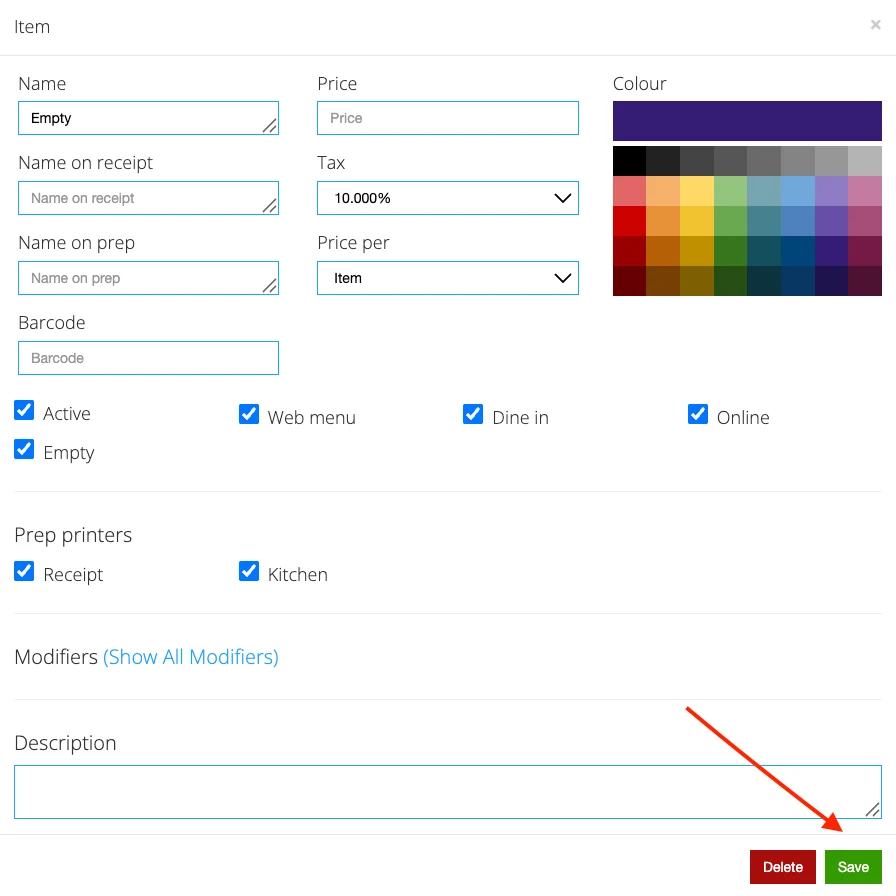
- Repeat the process until the menu items appear on the next row. \