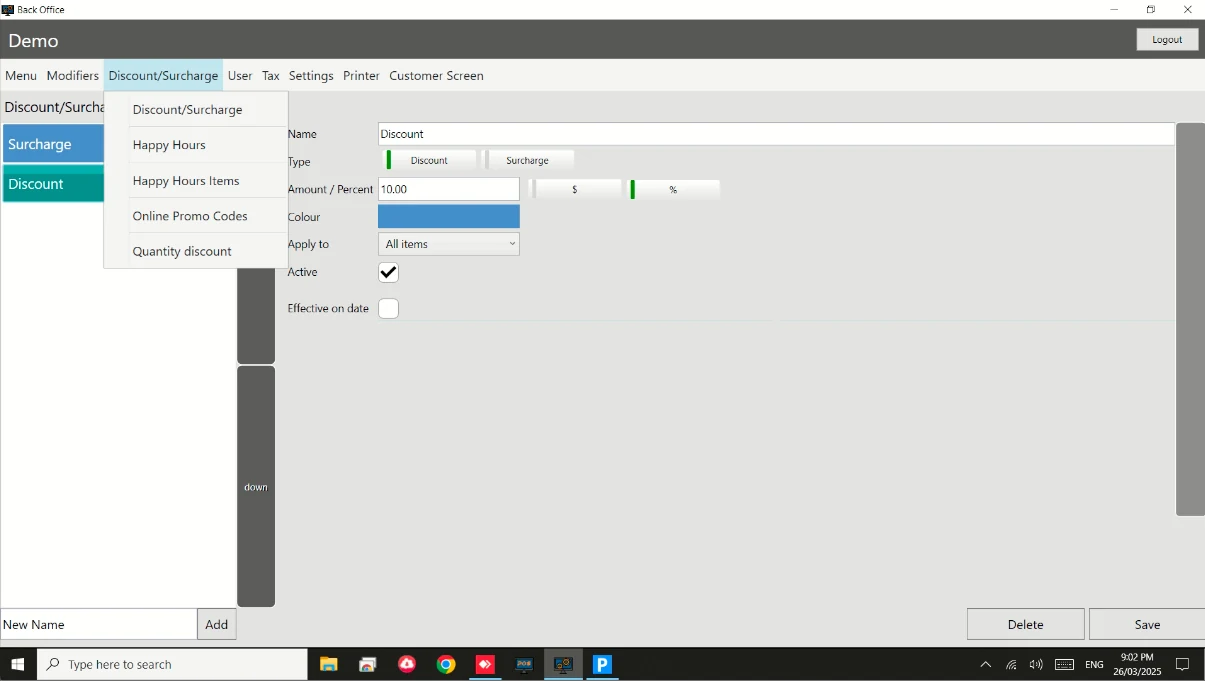
How to: Setup Public Holiday Surcharge / Discount
Steps:
- Go to Back Office.
- Go to Discount/Surcharge.
- Enter name and click on Add to create new Surcharge.
- Switch between Surcharge.
- Set amount or percentage.
- Tick this to apply it automatically on selected date.
- Set Inclusive Date for this Surcharge.
- Save when you are finish.
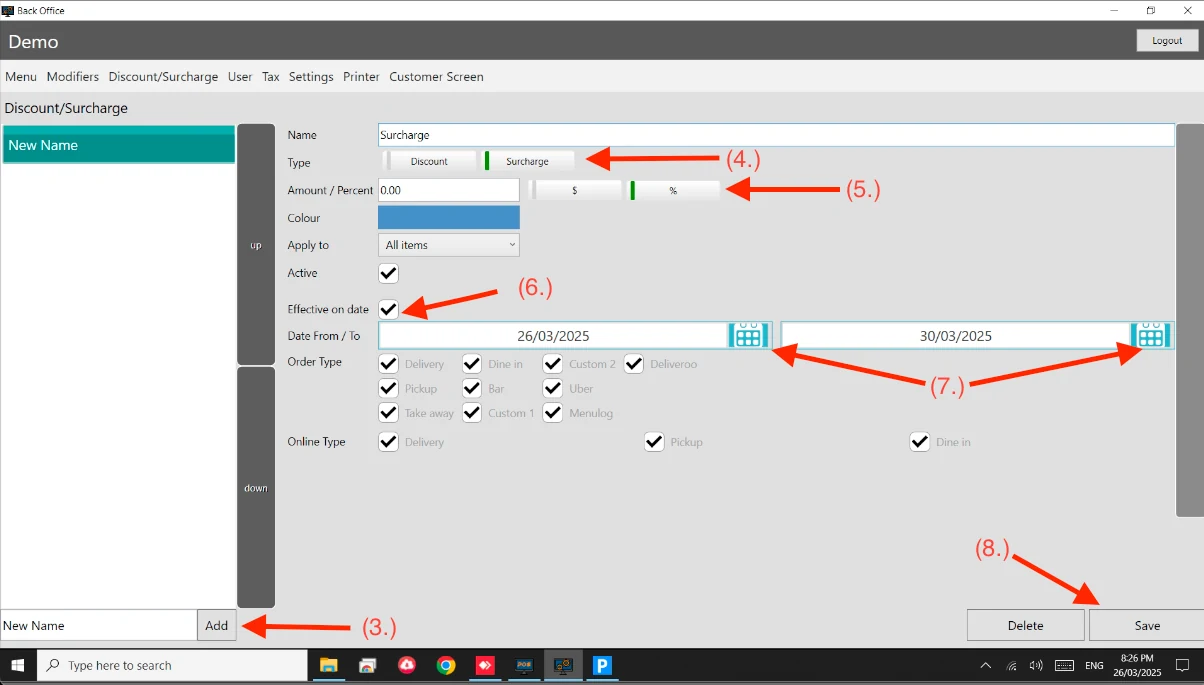
Same thing with creating Discounts. See attached.