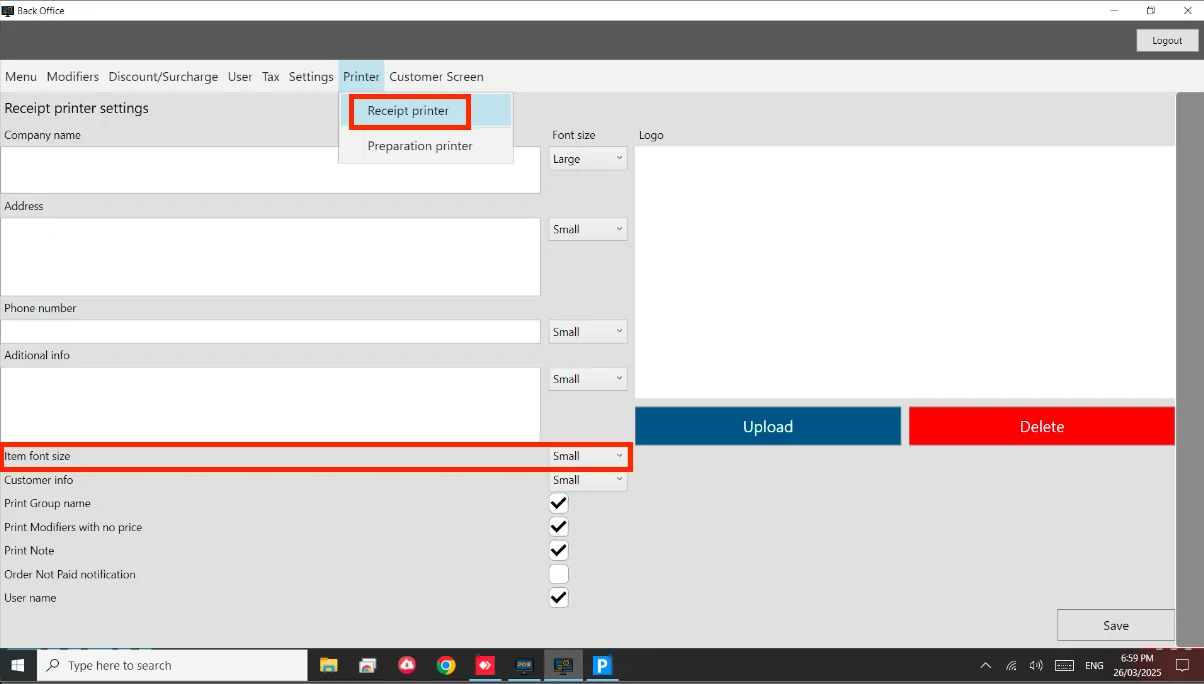
How to: Adjust Printing Size Steps: Go to Back Office. Go to Printer > Receipt Printer. Look for the ‘Item font size’. Adjust based on your own preference. See below image.
 Documentation