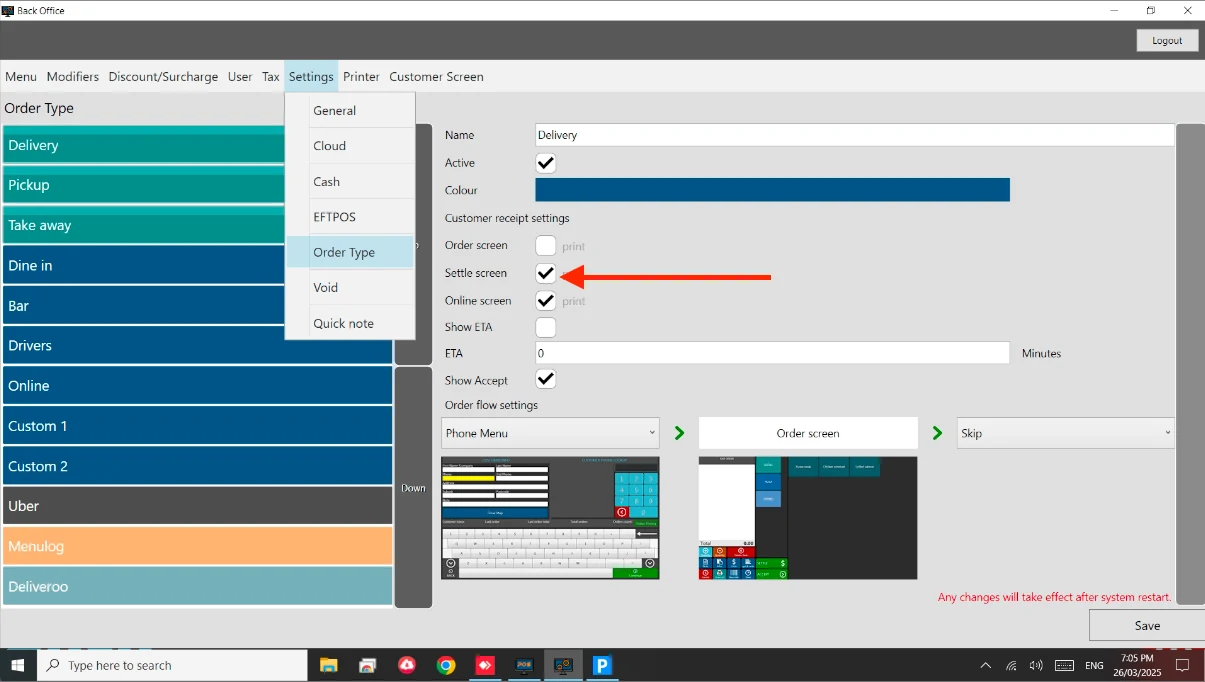
How to: Auto-print Receipt Steps: Go to Back Office. Go to Settings > Order Type. Go to each Order Type and tick the box for Settle screen. See below image.
 Documentation