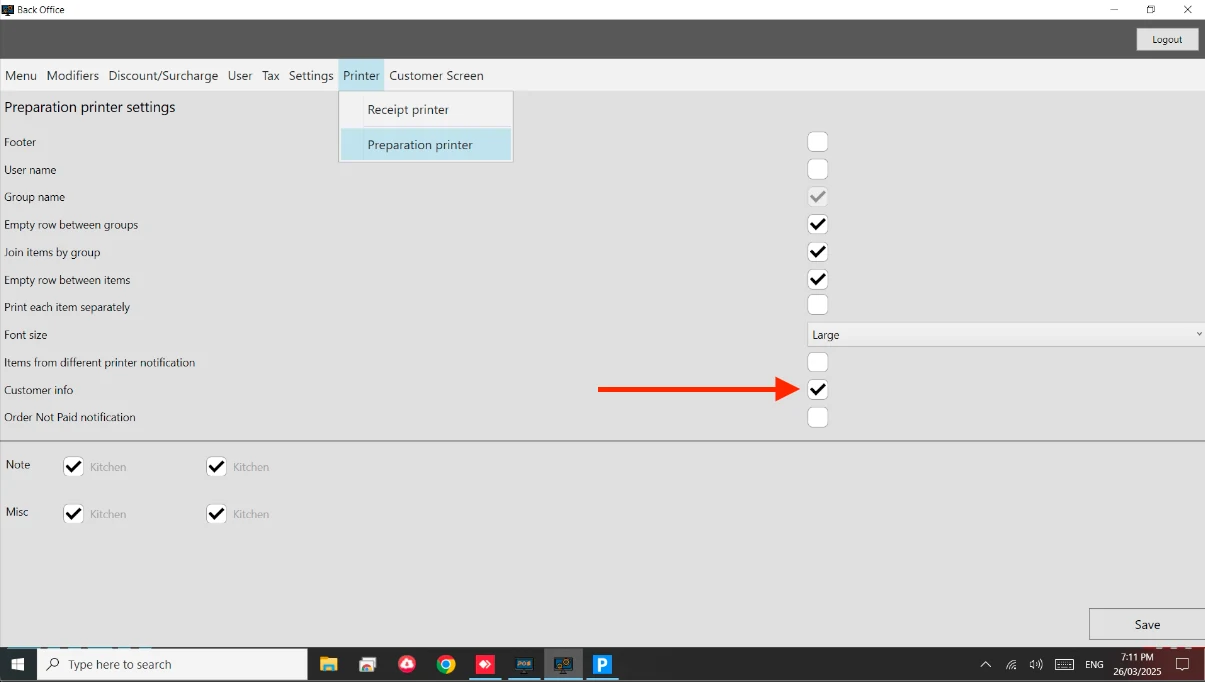
How to: Print Customer Information Steps: Go to Back Office. Go to Printer > Preparation Printer. Enable ‘Customer Information’. See attached image.
 Documentation