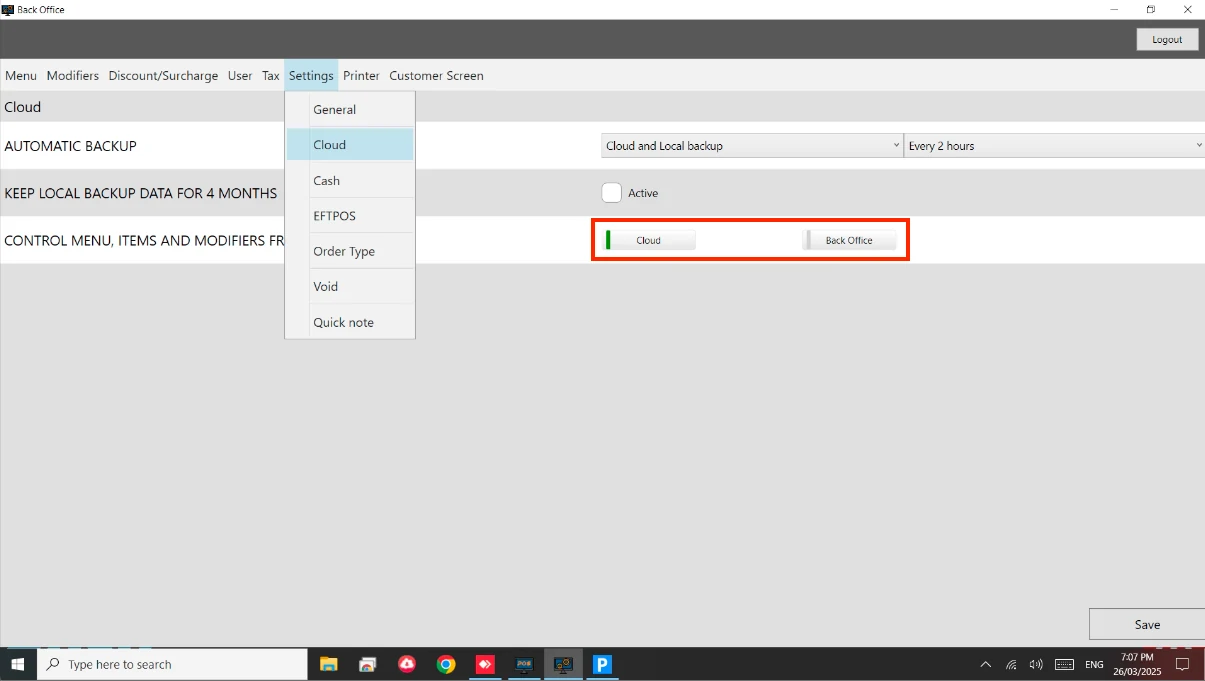
How to: Enable Cloud Menu Steps: Go to Back Office. Go to Settings > Cloud. Enable Cloud under Control Menu, Items and Modifiers. See below image.
 Documentation