
Use "Logged in Only" Feature
Steps:
- Log in to your account https://admin.localforyoucarts.com/login
- Go to Settings
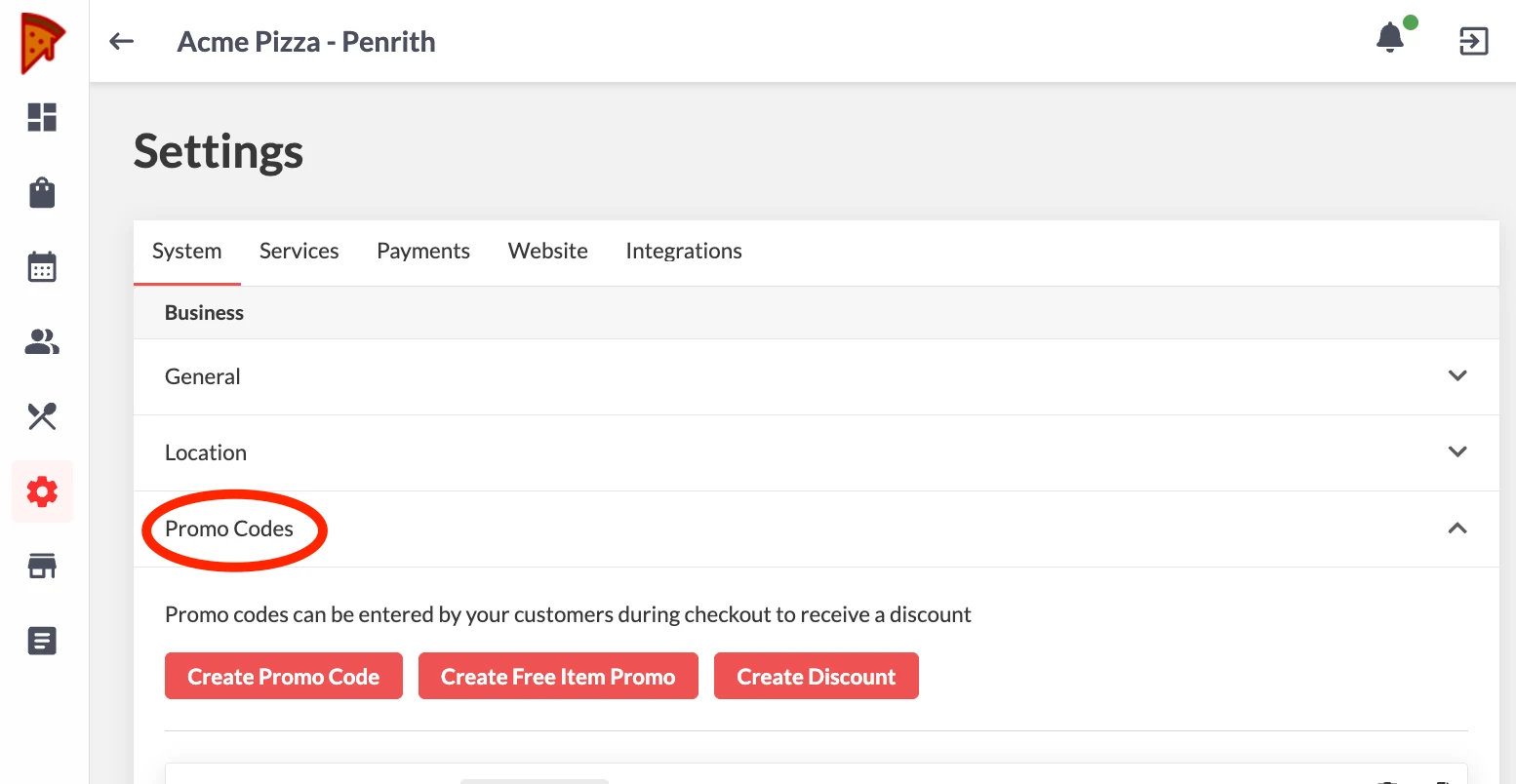
- Go to Promo Codes > Click the type of promo you want to set up
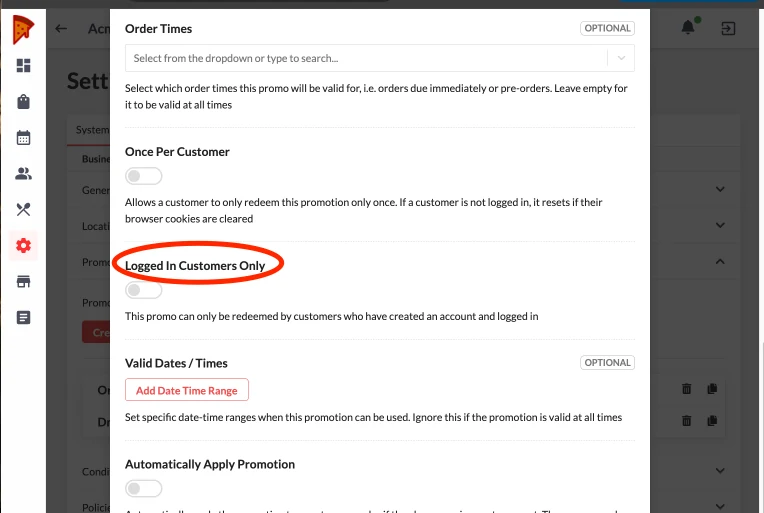
- Go to Logged in Customers Only > Toggle to enable
- Click Save
Note: Follow the same steps in setting up all types of Promos