
How to Disable Printing Option Set Name
Steps:
- Log in to your account https://admin.localforyoucarts.com/login
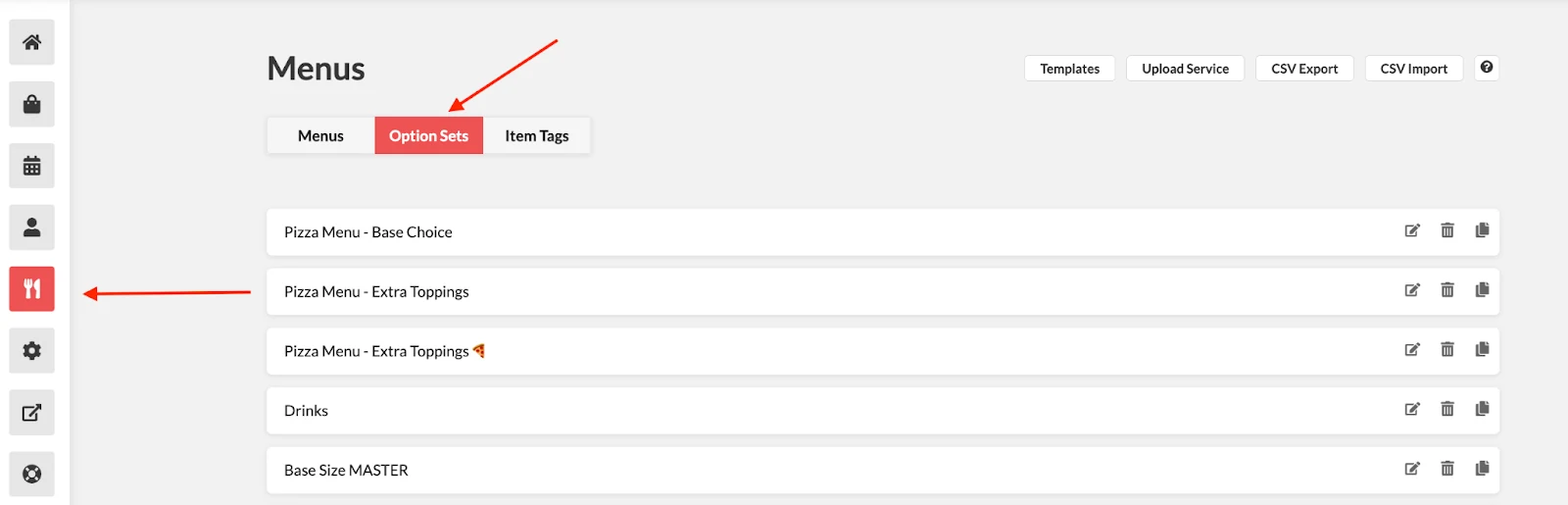
- Go to Menus > Option Sets
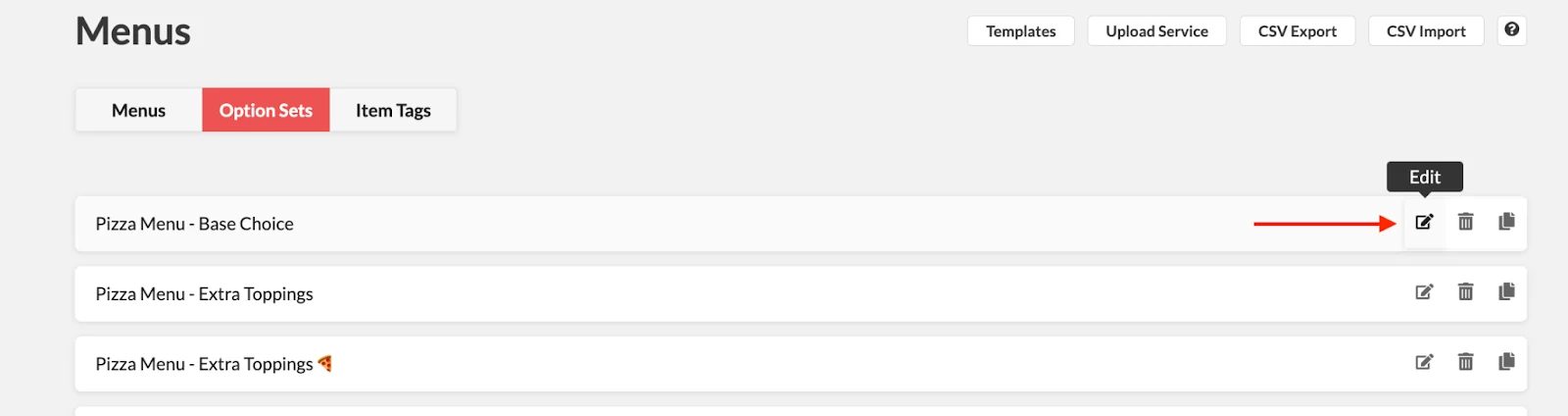
- Open the option set you don’t want to print by clicking the Edit icon.
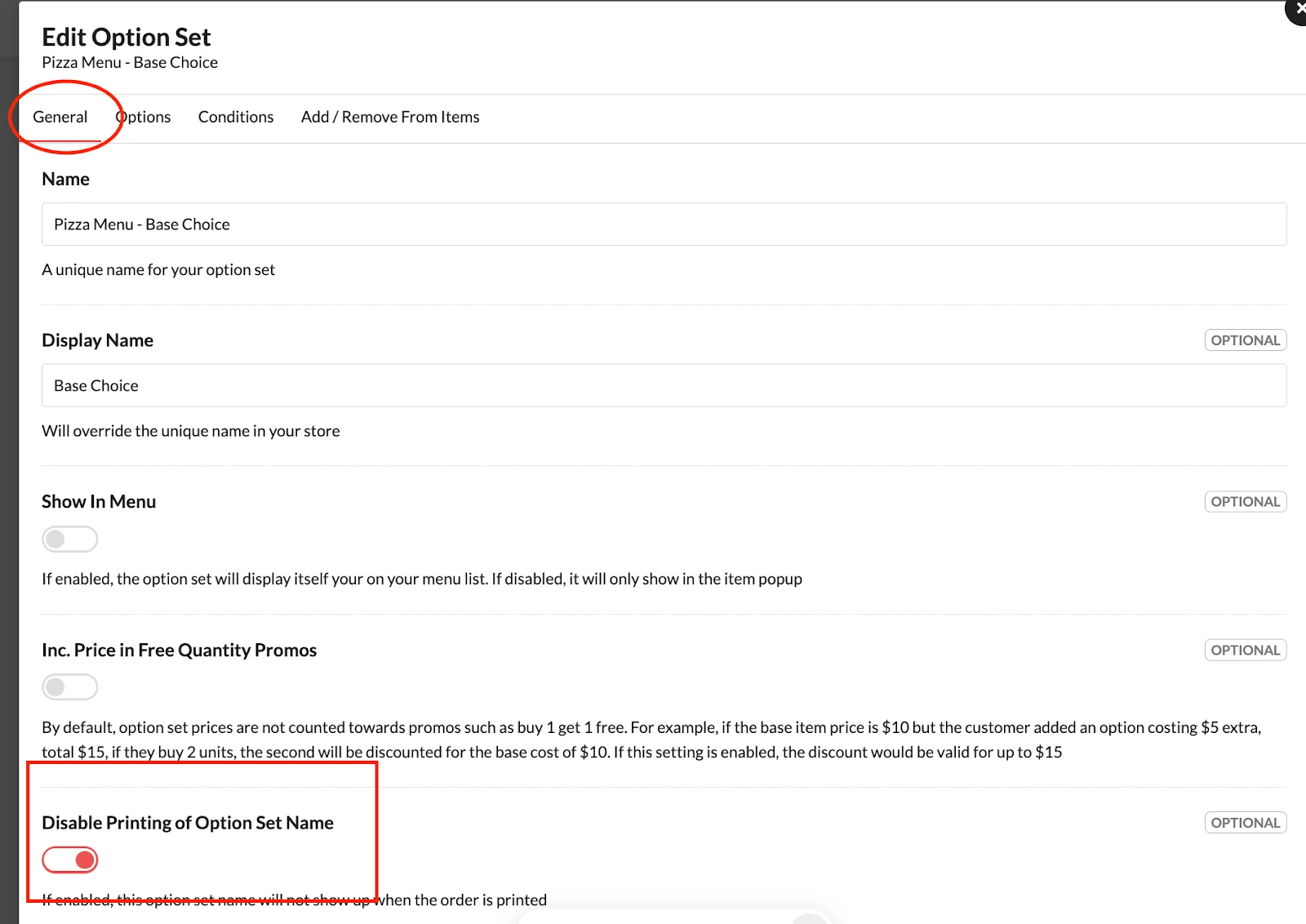
- Under General, toggle on Disable Printing Option Set Name.
- Click Save.