
How to Create Alerts for Announcements and Promotions
Steps:
-
Log in as Admin at admin.localforyoucarts.com.
-
From the list of accounts, find the account where you want to add the alert and click “Manage”.

-
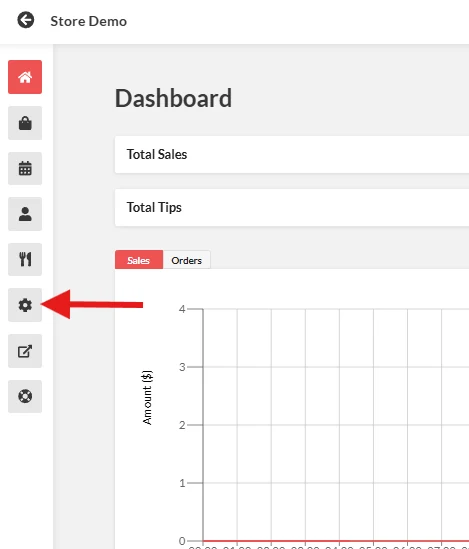
From the left-side menu, select “Settings”.
-
Click the “Websites” tab.
-
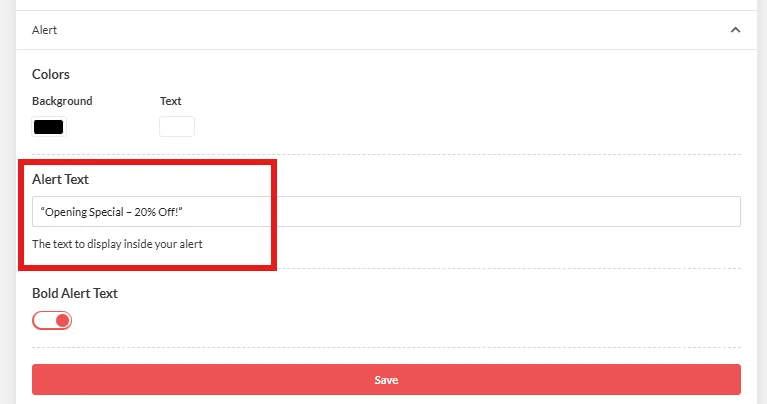
Look for the “Alert” section.
-
Enter a brief description or message for your announcement or promotion (e.g., “Opening Special – 20% Off!”).
-
Click Save to apply the alert. And it will show up as an Alert or banner on the frontend.
