 Documentation
Configure Custom Payment Methods
Steps:
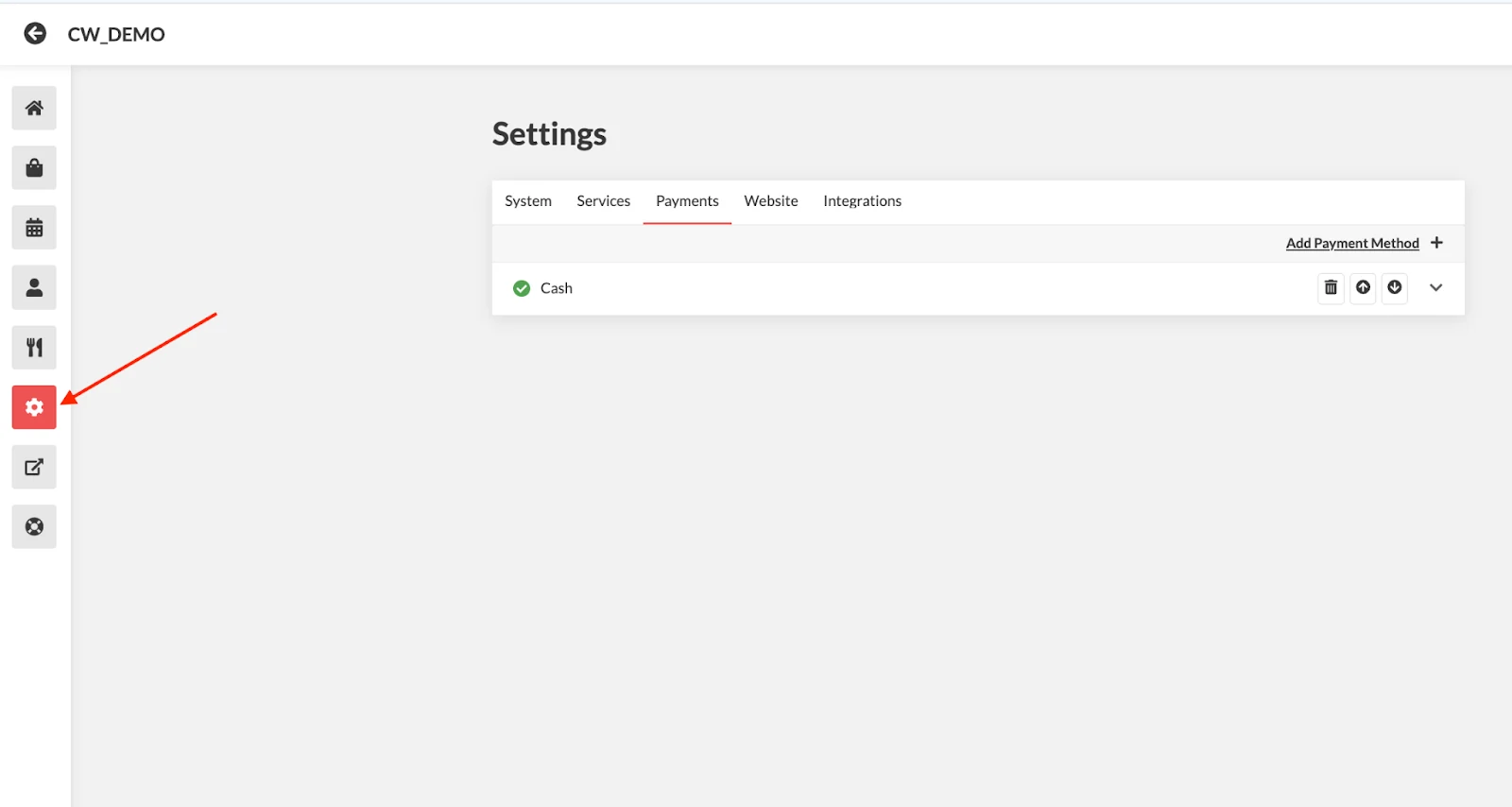
- On the Admin Dashboard, click on the Settings Icon
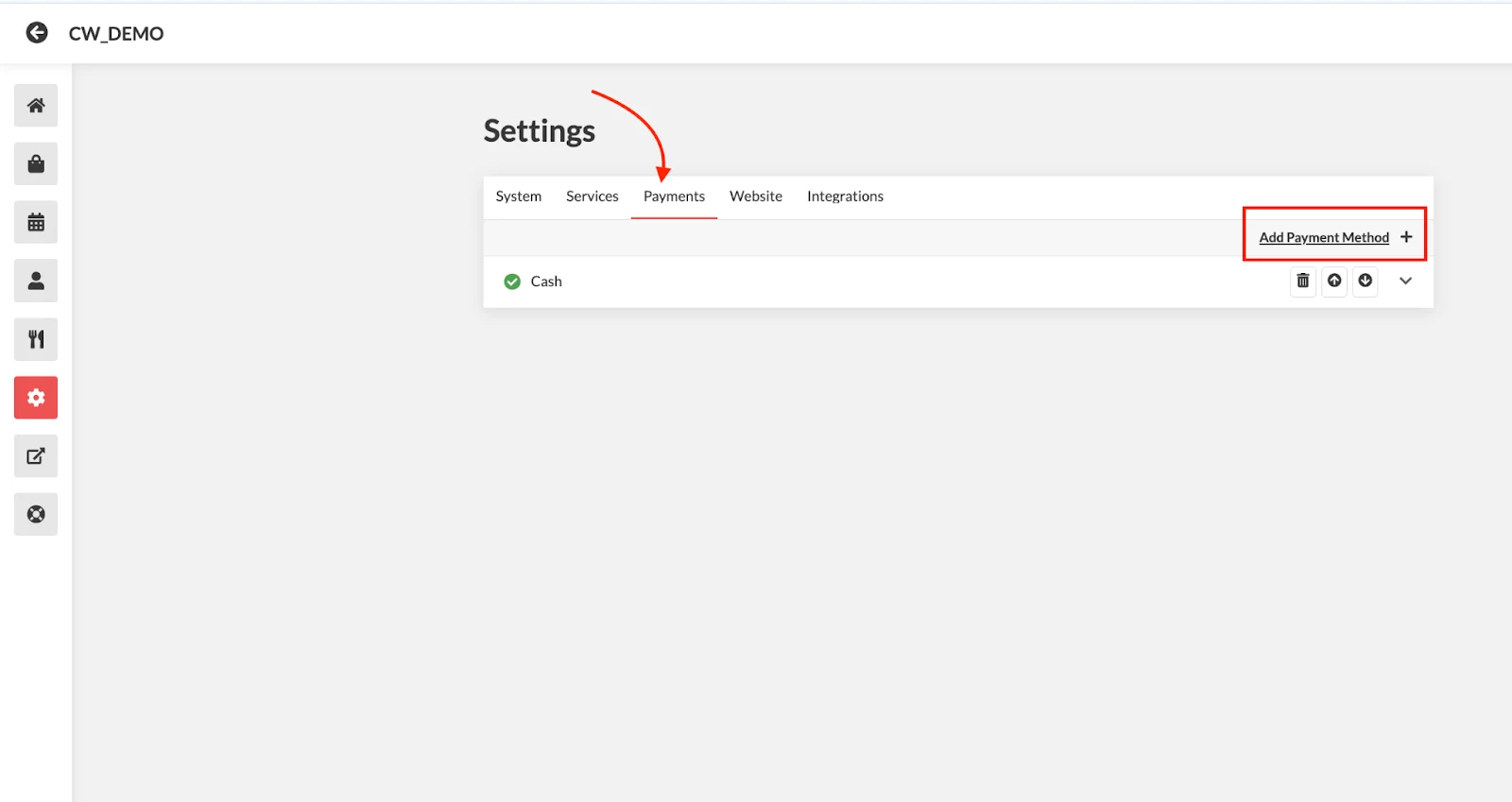
- Select Payments tab > Add Payment Method
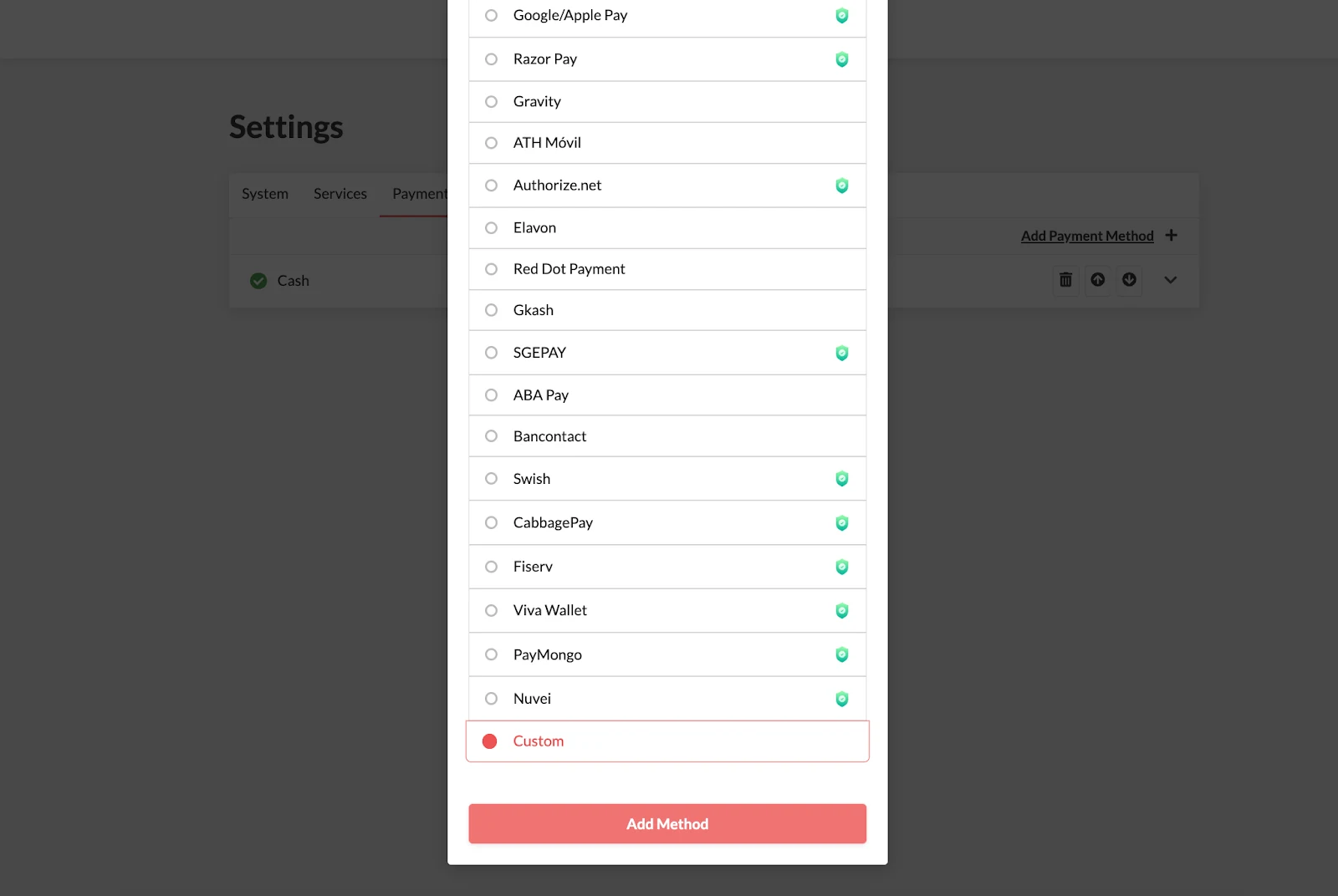
- Choose Custom from the Payment Method list > Add Method
Once added you can configure the settings:
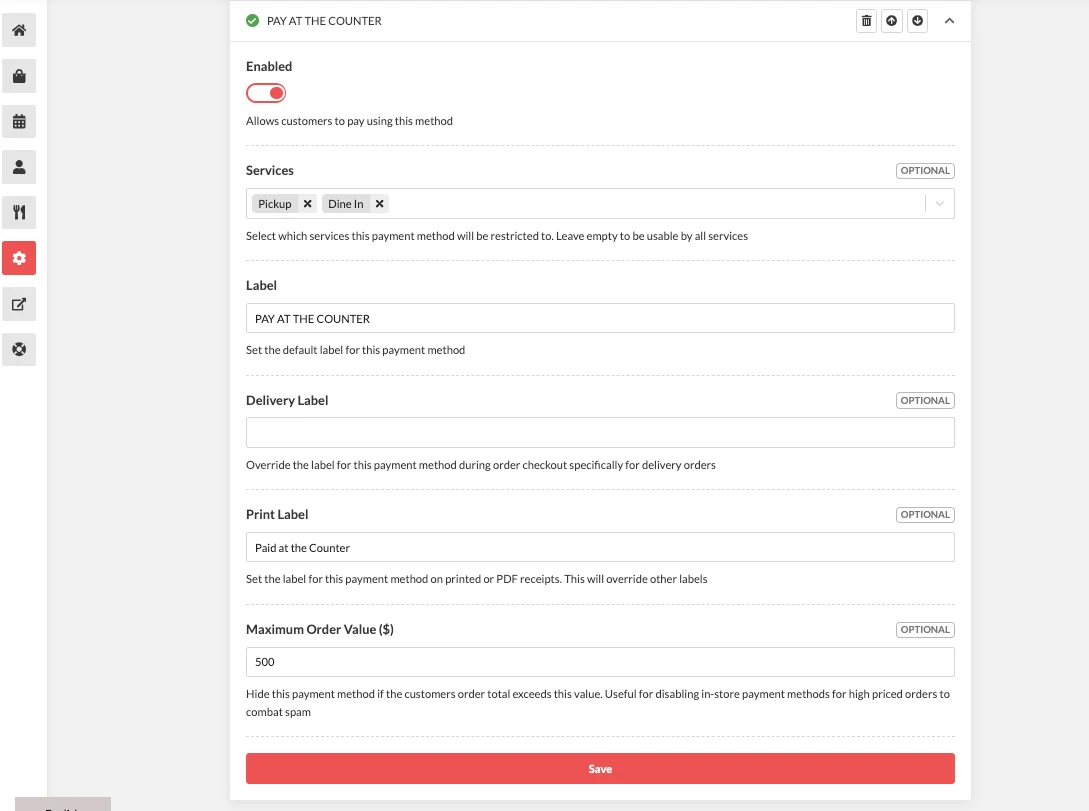
- Enable the Custom Payment Method
- Services: Choose which services this payment method will be restricted to (e.g., Pickup, Delivery, Dine-In, Table Booking).
- Label: Enter a label for the payment method (e.g., PAY AT THE COUNTER).
- Delivery Label (Optional)
Enter a different label for delivery orders if needed. Leave blank if not.
- Print Label
Set the label that will appear on printed or PDF receipts.
- Maximum Order Value ($)
Specify the maximum order value for which this payment method will be available.
- Click Save to apply the changes.